
Je suis parti d’une recherche autour de la création d’objets à partir d’un flux JSON. Au fur et a mesure de mon avancement, j’ai construit un document autour de JSON, XML, Webservice SOAP.
Le document est construit autour d’exemples
- de création de flux X à partir de Play
- de consommation de flux Y dans Play.
- de test fonctionnel
- de copie d’écran Poster
- de script Curl
Cet article est une base de travail autour des divers types de webservices. Il permet de construire rapidement un prototype fonctionnel, de debugger des flux, de voir ce qui ce passe.
J’utilise JSON depuis JavaScript, Jquery et AJax, mais pas seulement. La communication entre une application et une autre, entre une application mobile et un serveur. JSON est en train de sur-planter les architecture classique, dans beaucoup de domaine (base de donnée NoSQL, mobilité, etc ).
Je pense construire le même article en Play! 2.2.
Nota :
Cet article est un export d’un document LibreOffice, il y a des problèmes de pagination, de taille de police, des sauts de lignes en trop, etc. Je vais corriger petit à petit l’article et le rendu.
J’ai d’autres articles sous LibreOffice et je recherche un outil de publication qui fonctionne.
Table des matières
Obtenir une liste au format JSON
Création d’un album à partir d’un flux JSON
Appel JSON depuis un autre serveur
Les webservices JSON
Obtenir une liste au format JSON
Source :
https://github.com/loicdescotte/vote4music/
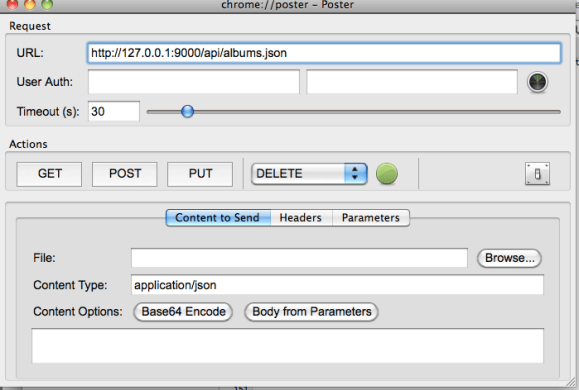
J’appelle le serveur en JSON.. avec
Content Type : application/json; charset=utf-8
Le fichier route :
GET
/vote
Vote.index
GET
/api/albums.{<json|xml>format}
Vote.listByApi
GET
/api/{genre}/albums.{<json|xml>format}
Vote.listByApi
GET
/api/{genre}/{year}/albums.{<json|xml>format}
Vote.listByApi
GET
/api/artists.{<json|xml>format}
Vote.listArtistsByApi
POST /api/album
Vote.saveAlbumByApi
POST
/albumm
Le source :
/**
* List albums in xml or json format
*
* @param genre
* @param year
*/
public static void listByApi(String genre, String year) {
List<Album> albums;
if (genre != null) {
Genre genreEnum = Genre.valueOf(genre.toString().toUpperCase());
albums = Album.find(« byGenre », genreEnum).fetch();
} else {
albums = Album.findAll();
}
if (year != null) {
albums = Album.filterByYear(albums, year);
}
if (request.format.equals(« json »))
renderJSON(albums);
render(albums);
}
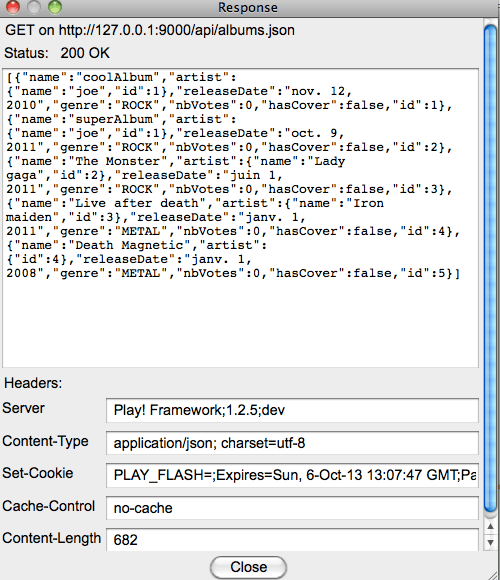
La réponse :
[
{« name »: »coolAlbum », »artist »:{« name »: »joe », »id »:1}, »releaseDate »: »nov.
12, 2010″, »genre »: »ROCK », »nbVotes »:0, »hasCover »:false, »id »:1},
{« name »: »superAlbum », »artist »:{« name »: »joe », »id »:1}, »releaseDate »: »oct.
9, 2011″, »genre »: »ROCK », »nbVotes »:0, »hasCover »:false, »id »:2},
{« name »: »The Monster », »artist »:{« name »: »Lady
gaga », »id »:2}, »releaseDate »: »juin 1,
2011″, »genre »: »ROCK », »nbVotes »:0, »hasCover »:false, »id »:3},
{« name »: »Live after death », »artist »:{« name »: »Iron
maiden », »id »:3}, »releaseDate »: »janv. 1,
2011″, »genre »: »METAL », »nbVotes »:0, »hasCover »:false, »id »:4},
{« name »: »Death Magnetic », »artist »:{« id »:4}, »releaseDate »: »janv.
1, 2008″, »genre »: »METAL », »nbVotes »:0, »hasCover »:false, »id »:5}
]
Création
d’un album à partir d’un flux JSON ..
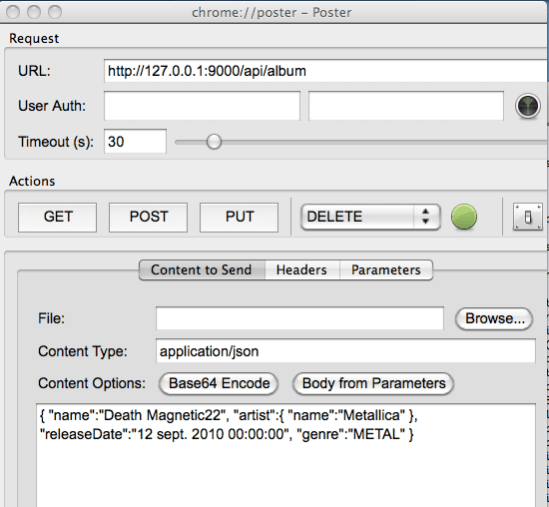
Le flux :
{
« name »: »Death Magnetic22″, « artist »:{« name »: »Metallica » }, « releaseDate »: »12 sept. 2010 00:00:00″, « genre »: »METAL » }
Le code source :
/**
* Save album via API
*/
public static void saveAlbumByApi() {
System.out.println(« saveAlbumByApi »);
Logger.error(« Encoding= » + request.encoding);
Logger.error(« ContentType= » + request.contentType);
if(request.contentType.equalsIgnoreCase(« application/xml »))
saveAlbumXml(request.body);
else
if (request.contentType.equalsIgnoreCase(« application/json »))
saveAlbumJson(request.body);
System.out.println(« request.contentType= » + request.contentType);
}
/**
* Save album via JSON API
*/
private static void saveAlbumJson(InputStream requestBody) {
System.out.println(« saveAlbumJson »);
Gson gson = new Gson();
Album album = gson.fromJson(new InputStreamReader(requestBody),Album.class);
album.replaceDuplicateArtist();
album.save();
}
Poster :
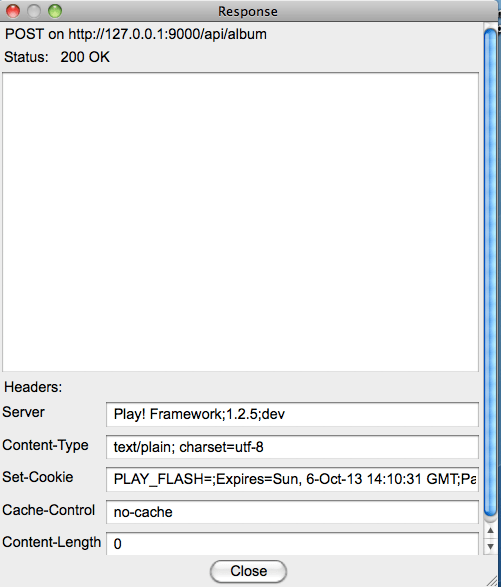
Résultat :
Vérification :

Les logs :
saveAlbumByApi
16:10:31,045 ERROR ~ Encoding =UTF-8
16:10:31,045 ERROR ~ ContentType =application/json
saveAlbumJson
16:10:31,048 ERROR ~ Nom =Death Magnetic22
16:10:31,048 ERROR ~ Genre =METAL
16:10:31,048 ERROR ~ HasCover =false
request.contentType=application/json
Appel JSON depuis JUNIT
https://github.com/loicdescotte/vote4music/blob/master/test/ApplicationTest.java
Le code source :
@Test
public void testJsonApi() {
//preconditions
Response artists = GET("/api/artists.json");
assertFalse(artists.out.toString().contains("john"));
Response albums = GET("/api/albums.json");
assertFalse(albums.out.toString().contains("album1"));
String album1 = "{ \"name\":\"album1\", \"artist\":{ \"name\":\"john\" }, \"releaseDate\":\"12 sept. 2010 00:00:00\", \"genre\":\"ROCK\" }";
POST("/api/album", "application/json", album1);
artists = GET("/api/artists.json");
assertTrue(artists.out.toString().contains("john"));
albums = GET("/api/albums.json");
assertTrue(albums.out.toString().contains("album1"));
}
Appel JSON depuis un autre serveur
Un exemple avec Jakarta commons httpclient :
HttpClient httpClient = new DefaultHttpClient();
try {
HttpPost request = new HttpPost(« http://localhost:9000/api/XXX/ »);
request.addHeader(« content-type », « application/json; charset=utf-8 »);
String album1 = « { \ »name\ »:\ »album1\ », \ »artist\ »:{ \ »name\ »:\ »john\ » }, \ »releaseDate\ »:\ »12 sept. 2010 00:00:00\ », \ »genre\ »:\ »ROCK\ » } »;
StringEntity se = new StringEntity(album1);
request.setEntity(se);
HttpResponse response = httpClient.execute(request);
// handle response here…
} catch (Exception ex) {
// handle exception here
} finally {
httpClient.getConnectionManager().shutdown();
}
}
Aller plus loin avec JSON
{ « name »: »paramPlus », « artist »:{ « name »: »Iron Maden » }, « releaseDate »: »12
sept. 2010 00:00:00″, « genre »: »METAL », « monparam »: »inconnu » }
J’ai créer un enregistrement avec un param de plus.
L’application fonctionne à l’identique.
Attention:
Il existe des surprises entre JSON (et GSON) et JPA. Ils ne font pas très bon ménage.
Le toJson() de GSON n’aime pas les objets Hibernate, et les références circulaires.
Je vous conseille de prendre la librairie flexjson.
Les webservices XML
Source :
https://github.com/loicdescotte/vote4music/
Réponse au format XML
/**
* List artists in xml or json format
*/
public static void listArtistsByApi() {
List<Artist> artists = Artist.findAll();
if (request.format.equals(« json »))
renderJSON(artists);
render(artists);
}
GET /api/{genre}/albums.{<json|xml>format}
Vote.listByApi
Création d’un album à partir d’un flux XML
<album>
<artist>Metallica</artist><name>Death Magnetic</name><release-date>2008</release-date><genre>METAL</genre></album>
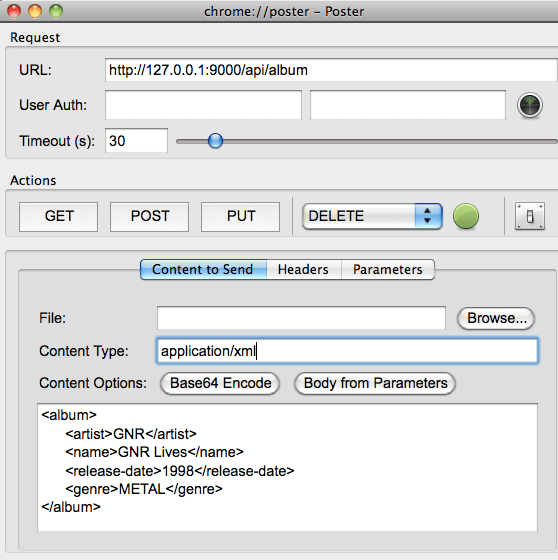
Fonctionne que avec application/xml → Normal
Ne fonctionne pas avec text/xml
Le code source :
/**
* Save album via API
*/
public static void saveAlbumByApi() {
System.out.println(« saveAlbumByApi »);
Logger.error(« Encoding = » + request.encoding);
Logger.error(« ContentType = » + request.contentType);
if (request.contentType.equalsIgnoreCase(« application/xml »))
saveAlbumXml(request.body);
else
if (request.contentType.equalsIgnoreCase(« application/json »))
saveAlbumJson(request.body);
System.out.println(« request.contentType = » + request.contentType);
}
Résultat :
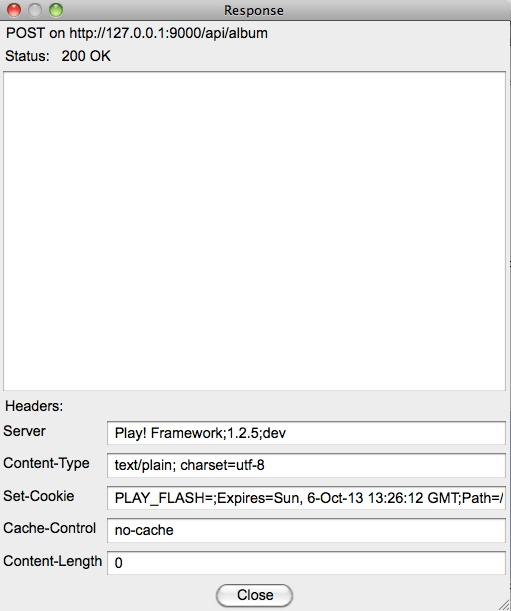
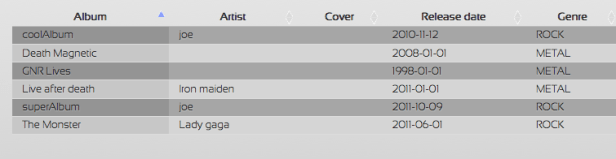
Vérification :
Appel XML depuis JUNIT
@Test
public void testXmlApi() {
Response artists = GET("/api/artists.xml");
assertFalse(artists.out.toString().contains("john"));
Response albums = GET("/api/albums.xml");
assertFalse(albums.out.toString().contains("album1"));
String album1 = "<album><artist><name>john</name></artist><name>album1</name><release-date>2010</release-date><genre>ROCK</genre><nvVotes>0</nvVotes></album>";
POST("/api/album", "application/xml", album1);
artists = GET("/api/artists.xml");
assertTrue(artists.out.toString().contains("john"));
albums = GET("/api/albums.xml");
assertTrue(albums.out.toString().contains("album1"));
}
Les webservices- SOAP
Source :
http://playframework.wordpress.com/2010/08/15/web-services-using-play/
et
https://github.com/chamerling/play-soap-wsnclient
Appel du webservice
package controllers;
import play.mvc.*;
import play.libs.*;
import org.w3c.dom.Document;
public class Application extendsController
{
publicstaticvoidconvert(String from, String to, Float amount) {
String wsReq = "<?xml version=\"1.0\" encoding=\"utf-8\"?><soap12:Envelope xmlns:xsi=\"http://www.w3.org/2001/XMLSchema-instance\"
xmlns:xsd=\"http://www.w3.org/2001/XMLSchema\"
xmlns:soap12=\"http://www.w3.org/2003/05/soap-envelope\">"
+"<soap12:Body><ConversionRate xmlns=\"http://www.webserviceX.NET/\">"
+"<FromCurrency>"+from+"</FromCurrency>"
+"<ToCurrency>"+to+"</ToCurrency>"
+"</ConversionRate></soap12:Body></soap12:Envelope>";
Document doc = WS.url("http://www.webservicex.net/CurrencyConvertor.asmx").setHeader("Content-Type",
"application/soap+xml").body(wsReq).post().getXml();
String rate = doc.getElementsByTagName("ConversionRateResult").item(0).getTextContent();
Float total = amount * Float.parseFloat(rate);
render(from, to, amount, rate, total);
}
//---
}
Réponse webservice
public static void router() {
String body = IO.readContentAsString(request.body);
Document xml = XML.getDocument(body);
if (xml == null) {
error(StatusCode.INTERNAL_ERROR, « XML is malformed… »);
}
Map<String,Header> map = request.headers;
Header header = map.get(« soapaction »);
String soapAction = header.value();
if (soapAction == null) {
wsdl();
}
else {
soapAction = soapAction.replaceAll(« \ » », « »);
}
if (soapAction.endsWith(« sayHello »)) {
sayHello(xml);
} else if (soapAction.endsWith(« sayBye »)) {
sayBye(xml);
}
error(StatusCode.NOT_FOUND, « SOAPAction not found… »);
}
privatestaticvoid sayHello(Document xml) {
String name = XPath.selectText(« //sayHelloRequest/text() »,xml);
name= String.format(« Hello %s! »,name);
render(« Application//MyService_SayHelloResponse.xml »,name);
}
et
public static void wsdl() {
render(« Application/MyService.wsdl »);
}
Les routes
#SOAP MyService
GET/services/RawService.{wsdl} RawService.wsdl
POST /services/RawService RawService.any

 Un regard sur le cloud computing